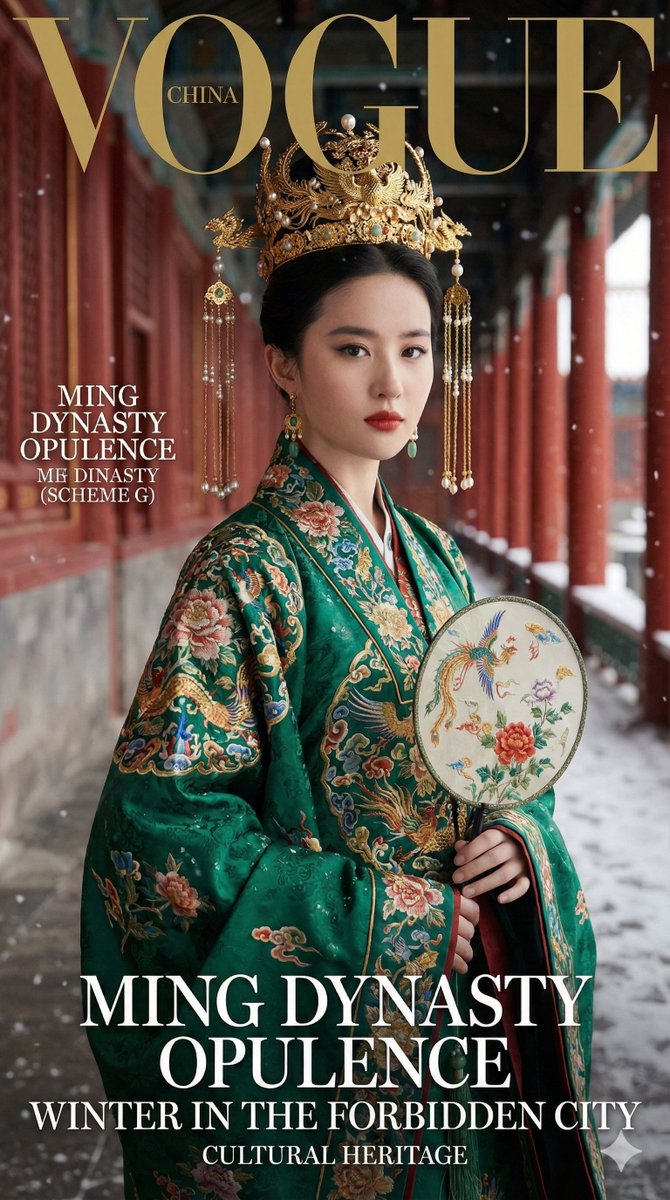
故宫汉服版本,小红书的最爱 帮作者提取了文字版的提示词 Nano Banana Pro Prompt: 生成一张 9:16 竖版「高端时尚杂志封面级」写实照片:以我上传的 FACE_REF S
故宫汉服版本,小红书的最爱 帮作者提取了文字版的提示词 Nano Banana Pro Prompt: 生成一张 9:16 竖版「高端时尚杂志封面级」写实照片:以我上传的 FACE_REF Show more
Prompt
生成一张 9:16 竖版「高端时尚杂志封面级」写实照片:以我上传的 FACE_REF Show more
0
Views
0
Likes
0
Saves
lightbulbHow to Use This AI Prompt
Getting Started
Copy this prompt and paste it into your preferred AI image generator such as Midjourney, DALL-E, Stable Diffusion, or Leonardo AI. The prompt has been optimized for high-quality results across multiple platforms.
For best results, you can modify specific elements like colors, styles, or subjects while keeping the core structure intact.
Tips for Better Results
- check_circleAdjust the aspect ratio based on your intended use (16:9 for wallpapers, 1:1 for social media)
- check_circleAdd quality modifiers like "8K", "detailed", or "professional" for enhanced output
- check_circleExperiment with different seeds to generate variations of this style
categoryExplore More AI Prompts
Discover more creative AI image generation prompts across different categories. Each prompt is curated for quality and tested across multiple AI platforms.
helpFrequently Asked Questions
What AI tools can I use this prompt with?
This prompt works with most popular AI image generators including Midjourney, DALL-E 3, Stable Diffusion, Leonardo AI, and Adobe Firefly. Each platform may interpret the prompt slightly differently, so feel free to experiment.
Can I modify this prompt for my needs?
Absolutely! We encourage you to customize the prompt to match your creative vision. You can change subjects, colors, styles, and add your own modifiers. The prompt structure provides a solid foundation for generating high-quality images.
How do I get the best results?
Start with the prompt as-is, then iterate by adjusting specific elements. Use higher resolution settings when available, and try generating multiple variations to find the perfect result. Check our prompt writing guide for more tips.
auto_awesomeRelated Prompts

Nano Banana smart prompt: Notion-styled portraits in seconds Prompt
AmirMushich

Character Portraits by Nano Banana Pro on @DomoAI_ Prompt
TechieBySA

Kling AI + Nano Banana Pro = Prompt: A modern, clean product infographic featuring a chilled Sprit
Strength04_X

El prompt definitivo de Gemini 3 para crear una sesión de fotos tuya con luz y sombra. Ve a Gemini
AI Creator