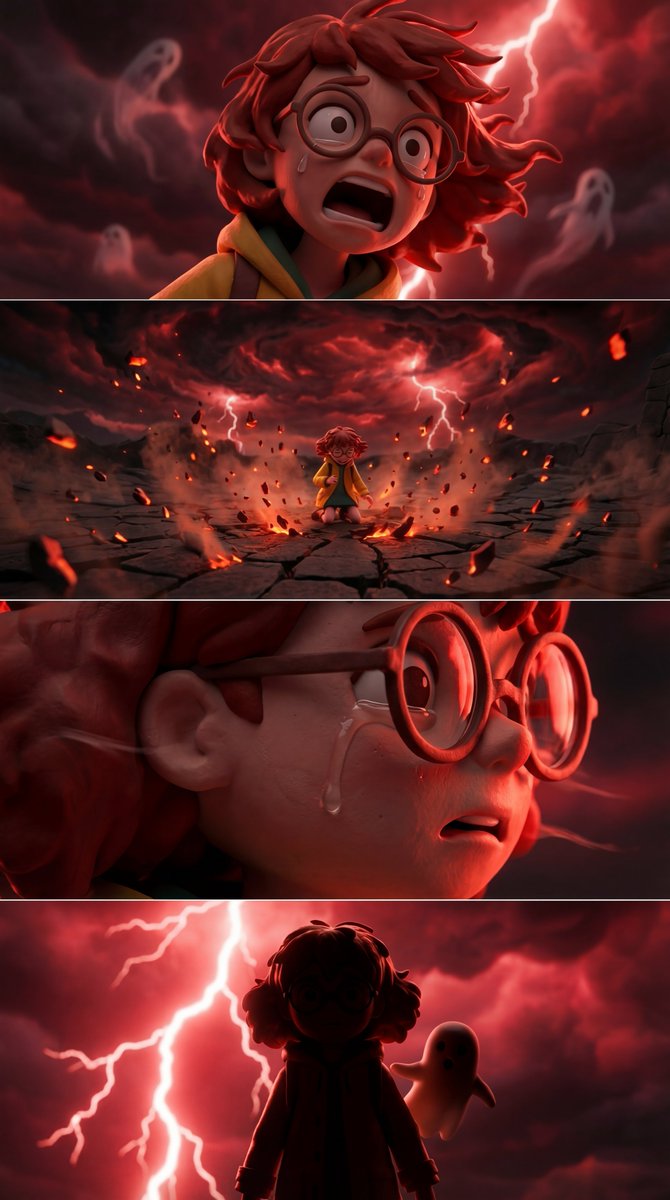
SPLIT STACK (1X4 grid) Now that everyone has gotten the 3x3 grids out of their system for generatin
SPLIT STACK (1X4 grid) Now that everyone has gotten the 3x3 grids out of their system for generating different angles, it feels like the right moment to double down on something I shared on day one of Nano Banana’s public release. You will get more consistent results using a Show more
Prompt
SPLIT STACK (1X4 grid) Now that everyone has gotten the 3x3 grids out of their system for generating different angles, it feels like the right moment to double down on something I shared on day one of Nano Banana’s public release. You will get more consistent results using a Show more
0
Views
608
Likes
0
Saves
lightbulbHow to Use This AI Prompt
Getting Started
Copy this prompt and paste it into your preferred AI image generator such as Midjourney, DALL-E, Stable Diffusion, or Leonardo AI. The prompt has been optimized for high-quality results across multiple platforms.
For best results, you can modify specific elements like colors, styles, or subjects while keeping the core structure intact.
Tips for Better Results
- check_circleAdjust the aspect ratio based on your intended use (16:9 for wallpapers, 1:1 for social media)
- check_circleAdd quality modifiers like "8K", "detailed", or "professional" for enhanced output
- check_circleExperiment with different seeds to generate variations of this style
categoryExplore More AI Prompts
Discover more creative AI image generation prompts across different categories. Each prompt is curated for quality and tested across multiple AI platforms.
helpFrequently Asked Questions
What AI tools can I use this prompt with?
This prompt works with most popular AI image generators including Midjourney, DALL-E 3, Stable Diffusion, Leonardo AI, and Adobe Firefly. Each platform may interpret the prompt slightly differently, so feel free to experiment.
Can I modify this prompt for my needs?
Absolutely! We encourage you to customize the prompt to match your creative vision. You can change subjects, colors, styles, and add your own modifiers. The prompt structure provides a solid foundation for generating high-quality images.
How do I get the best results?
Start with the prompt as-is, then iterate by adjusting specific elements. Use higher resolution settings when available, and try generating multiple variations to find the perfect result. Check our prompt writing guide for more tips.
auto_awesomeRelated Prompts

Scientific Infographics by Nano Banana Pro on @SocialSight Prompt
TechieBySA

Snack Infographics by Nano Banana Pro Prompt
TechieBySA

Grok Imagine —————— prompt Super easy to use—just copy and paste! Two versions of the prompt:
BeautyVerse_Lab

Grok Imagine —————— prompt Super easy to use—just copy and paste! Two versions of the prompt:
BeautyVerse_Lab